Are PLCs Necessary in Today’s Automation Environment?

August 15, 2023
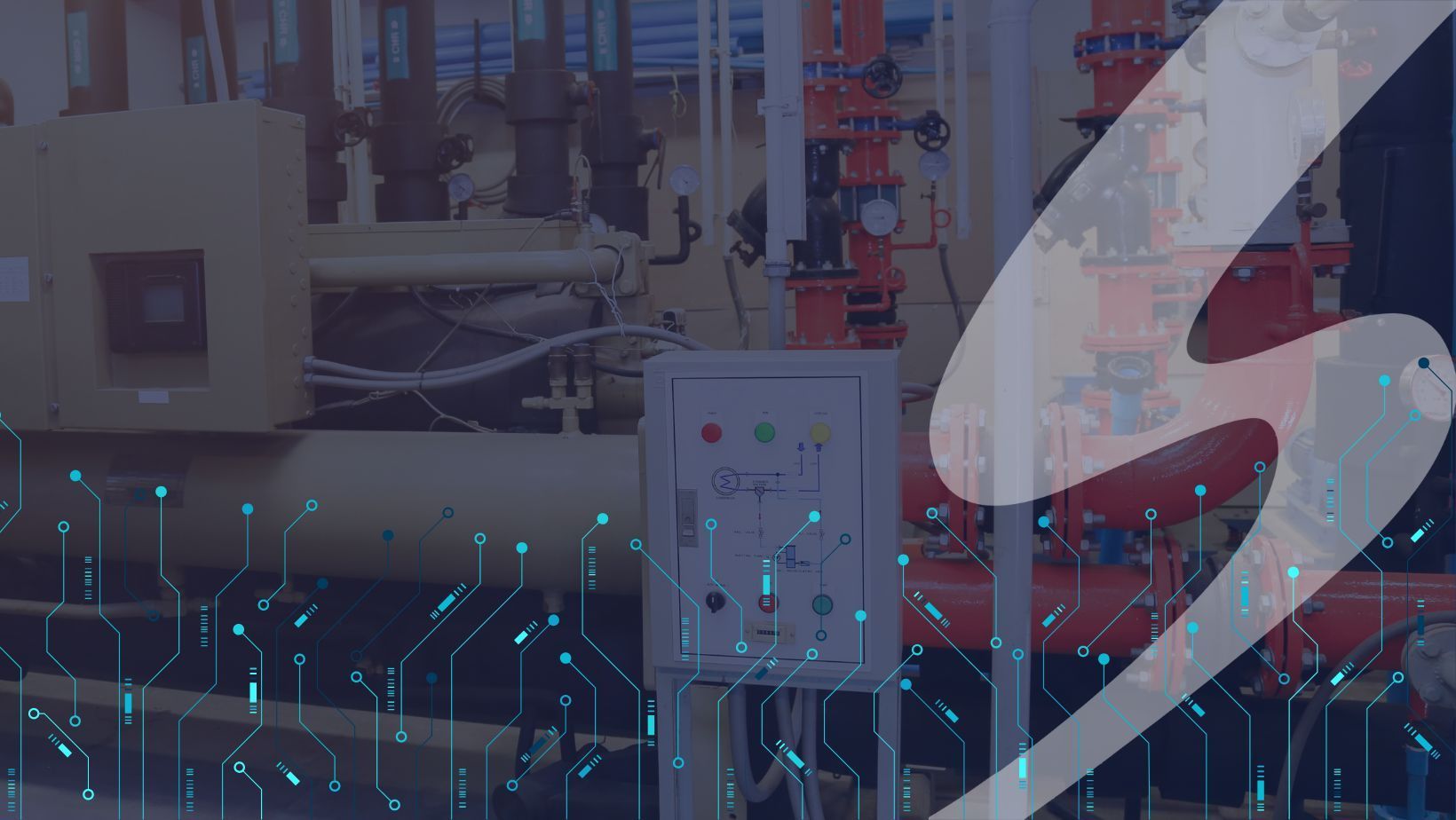
Graphic of Seifert logo and network nodes, overlaid over a PLC panel

With technology that is continually evolving what does the future hold for Programable logic controllers? The future is expected to be shaped by several technological trends and advancements in engineering and technology. Today there is a high demand for PLC systems in various industries including the automotive industry, manufacturing, utilities, construction, and food & beverage industries. These areas alone will boost the need for continuous system improvements for decades to come. In this blog, we are going to explain what a PLC is, what it is used for, and the future of technology. 


What is a PLC

A Programmable logic controller or PLC is a small, solid-state computer that uses logic functions to control a machine or process. PLCs are used in industrial control systems for many industries, including factory assembly lines, amusement rides, and light fixtures. A PLC will monitor the state of input devices and use the custom program to control the state of the output on each device associated. It is utilized in many modern manufacturing facilities today.

  • PLCs allow users to access functions like:
  • From field devices, including discrete and analog inputs and outputs,
  • Proportional-Integral-Derivative (PID) controller
  • Position control
  • Motor control
  • Serial communication
  • High-speed networking
  • Different PLC platforms are preferred in different parts of the world.
  • Originally designed to replace hardwired systems composed of relays, cam timers, drum sequencers, and dedicated closed-loop controllers.


Programming with PLC

PLC programming can become quite complex depending on the application, and it often involves a deep understanding of the processes you are automating. A control system engineer will use PLC programming typically created using ladder logic, which is a graphical programming language that resembles electrical relay logic diagrams. Before a Control Systems Engineer begins programming, they must have a clear understanding of the process or machine they’re controlling. Identify the inputs, outputs, sensors, actuators, and the logic required to achieve the desired automation.


Writing Ladder Logic:

Ladder logic diagrams consist of rungs that represent the control logic. Each rung contains one or more instructions that define the relationships between inputs, outputs, and internal variables. Common instructions include:

  • Input Contacts: Represent sensors or switches, and they act as conditions for executing logic.
  • Output Coils: Represent actuators or devices that you want to control.
  • Relays: Logical elements that allow you to create complex conditions by combining inputs using logical operators (AND, OR, NOT, etc.).
  • Timers and Counters: Used to introduce time-based delays or to count events.


PLC Performance


Testing PLC performance is crucial to ensure the reliability and efficiency of your automated processes. By following these steps and adapting them to your specific application, you can identify and address any performance-related issues before they impact your operations. Through the PLC, Control Systems Engineers can make a large impact on the automation industry by controlling devices and programming logically. Testing the performance of a PLC involves evaluating its ability to handle automation tasks and processes efficiently and reliably.

Think of PLC as the heart of a control system. Improving the ability to process information quicker than standard mechanical devices. PLC communicates with other supervisory components and the logic remains in the PLC system eliminating writing errors. Through Program logic, the PLC will remain reliable with solid-state components.


What are the Limitations of PLC?

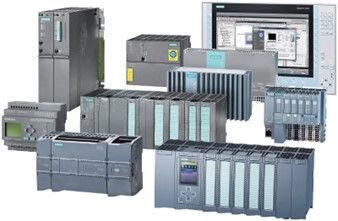
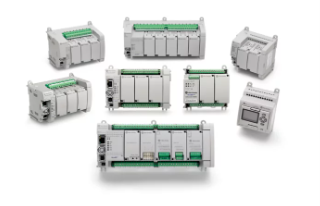
A variety of PLC modules, and an HMI

Programmable Logic Controllers (PLCs) offer a powerful and flexible solution for industrial automation, but they do come with certain limitations that users should be aware of. 


Here are some common limitations of PLCs:

  • Processing Power and Speed: PLCs are designed for real-time control of industrial processes, but their processing power is generally lower compared to general-purpose computers. This limitation can impact the speed and complexity of the tasks they can handle.
  • Memory Constraints: PLCs have limited memory for storing program logic, data, and configuration settings. This can limit the complexity of the programs that can be developed and the amount of historical data that can be stored.
  • Programming Complexity: PLC programming, especially using ladder logic, can become complex and difficult to manage for large and intricate systems. Debugging and troubleshooting complex programs can also be challenging.
  • Limited Connectivity: While modern PLCs offer various communication options (Ethernet, serial ports, etc.), they might not have the same level of connectivity as general-purpose computers. Integrating with modern IT systems and protocols can sometimes be more challenging.
  • Scalability: Expanding or modifying a PLC system might require significant effort and potential downtime. Integrating additional inputs, outputs, or tasks can be more complex than with other automation solutions.
  • Real-Time Limitations: PLCs provide real-time control, but the determinism of real-time performance can be affected by factors such as scan time, interrupt handling, and network communication.
  • Limited User Interfaces: PLCs often come with basic human-machine interfaces (HMIs) that might not be as intuitive or user-friendly as modern touch-based interfaces found in consumer electronics.
  • Software Versioning: Managing software versions and updates can be cumbersome. Compatibility between different versions of PLC programming software and hardware can cause compatibility issues.
  • High Initial Costs: The initial investment for PLC hardware, software licenses, and training can be relatively high, especially for small-scale applications.
  • Limited Data Processing: While modern PLCs are becoming more capable, they might not be suitable for handling extensive data processing tasks or complex algorithms.
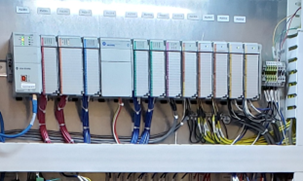
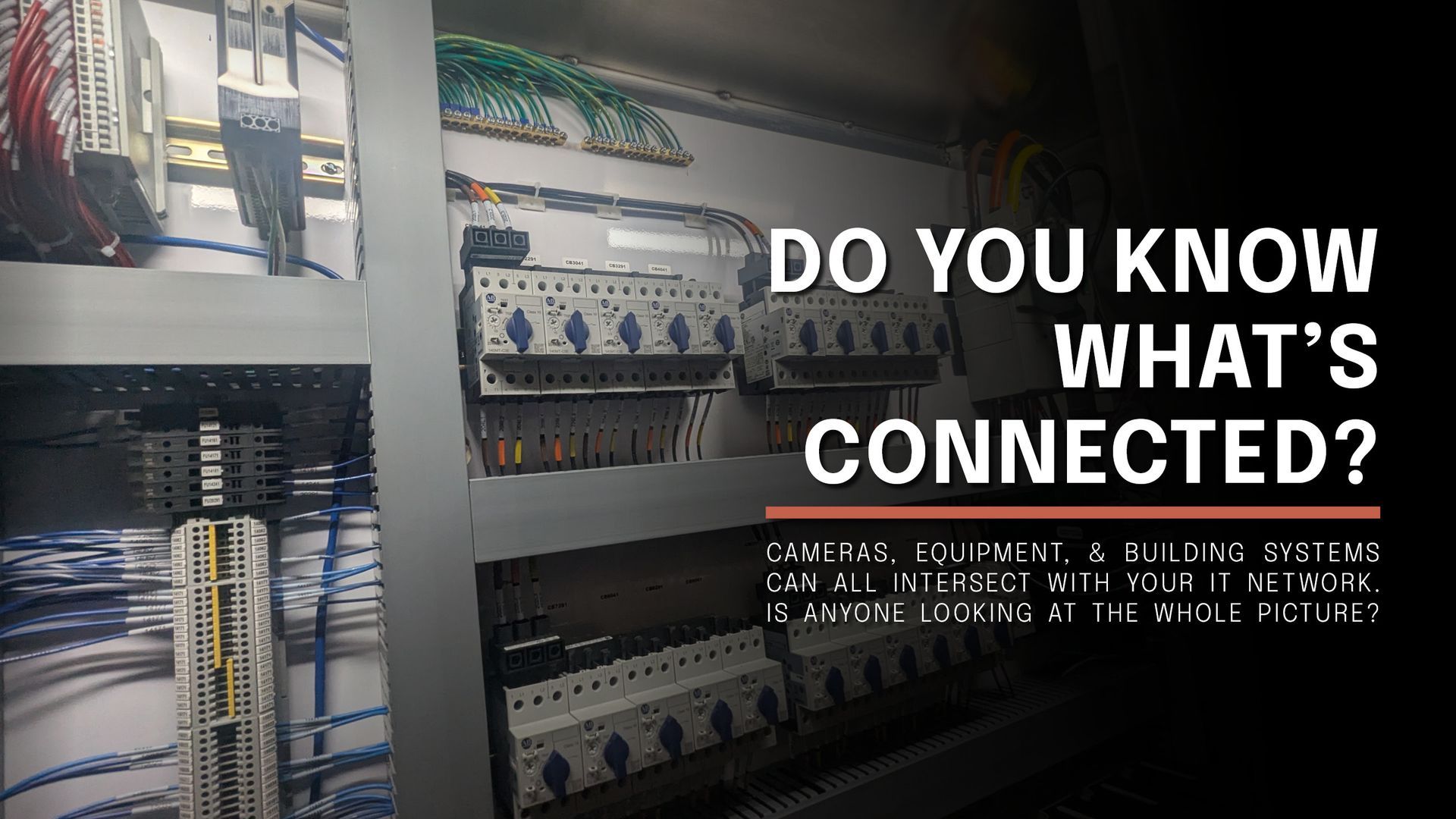
A line of PLC components in a panel box.
  • Environmental Factors: Certain environments are not ideal, high levels of vibration, and high temperatures.
  • Device Compatibility: Limited compatibility with third-party devices.

Despite these limitations, PLCs remain a fundamental and widely used solution for industrial automation due to their reliability, real-time control capabilities, and ruggedness. When considering the use of PLCs, it's important to weigh their advantages against these limitations and consider how well they align with the requirements of your specific application. 

Maintenance

Maintaining a Programmable Logic Controller (PLC) system is essential to ensure its reliability, longevity, and consistent performance. Proper maintenance practices can help prevent unexpected downtime, optimize system efficiency, and address potential issues early on.


“A PLC can serve the purpose of predictive maintenance for predicting defects and trouble before they arise and evaluating data patterns for abnormalities and oddities. It monitors and analyze the data in real-time which not only help improve efficiency but also reduce the downtime. So, Programmable logic controllers are widely used in industrial automation, monitoring, and control systems.” (PDF Supply)

Here are some maintenance tasks to consider for a PLC system:

o  Check environmental factors and operating conditions. Humidity, temperature, and other factors play an important role in the longevity and proper operation of components.

o  Clear debris, dust, and buildup from your units. A clean working environment for your PLC is a great way to prevent downtime.

o  Maintain Battery systems.

o  A PLC can detect when a machine or piece of equipment needs to be fixed.


PLC Security/IT Collaborations

Security is a crucial aspect of any industrial automation system, including Programmable Logic Controller (PLC) systems. PLC systems are vulnerable to cyberattacks, unauthorized access, and other security threats, which can have serious consequences for industrial processes. Traditionally, PLCs and IT systems were isolated from one another, with different networks, protocols, and standards.

  • To properly secure a PLC, it must be a coordinated effort with your managed IT service provider and IT security is an ongoing process that requires planning, execution, and evaluation.
  • Integrating PLC and IT security can bring about a range of advantages for your industrial automation, such as improving the reliability and availability of systems.
  • Enhancing the quality and consistency of products, boosting innovation and competitiveness, and strengthening the reputation and trust between the two environments.


The Programmable Logic Controller Future:

A variety of PLC modules
  • PLCs will continue to evolve while adapting to current technology.
  • Growing demands of PLCs have challenged designers to build replacement systems. 
  • Communication platforms are always evolving.
  • The future will encompass more applications of wireless technology.
  • Growing Integration of enterprise resource planning (ERP) and other higher-level computing systems to the factory floor.
  • Integration with Industry 4.0 and IIoT: PLCs are likely to become more integrated with Industry 4.0 and the Industrial Internet of Things (IIoT). This means that PLCs will be designed to communicate seamlessly with other devices and systems, enabling real-time data exchange and remote monitoring. This integration will lead to more efficient production processes, predictive maintenance, and better decision-making.

It's important to note that these trends for PLCs are based on current technological developments and industry demands. The future of PLCs will depend on the pace of technological advancements, market needs, and the evolving landscape of industrial automation.


Several grey and green PLC components

Conclusion:

The Control Systems Engineers at Seifert Technologies Engineering Division have decades of experience across multiple industries utilizing programable logic controls as a core automation system. By leveraging PLCs, Control System Engineers can design, implement, and maintain robust and efficient control systems in industrial environments. PLCs provide flexibility, reliability, and real-time control capabilities that enable precise and effective control over various industrial processes. Contact us today to learn more about the future of PLCs.

By Seifert Engineering March 31, 2026
At some point, most growing companies run into the same frustration: You’re not paying engineers to solve new problems anymore. You’re paying them to repeat old ones. Customers want variations of something you’ve already built. A size changes. A feature gets added. And soon enough, engineering gets pulled back in… Updating models, adjusting drawings, rebuilding documentation and checking everything before it moves forward. It’s necessary work. But it’s not where the value is. When Customization Starts Slowing You Down Customization is often what wins the job. But without structure behind it, every variation creates more work: Similar designs get recreated Drawings are manually updated BOMs are rebuilt or double-checked Quotes depend on engineering to validate details It works. But it doesn’t scale. As demand increases, engineering becomes the checkpoint for everything. And that’s where delays begin. Automation Is Not About Software—It’s About Strategy The teams that break out of this cycle don’t eliminate customization. They capture it. Instead of starting over each time, they define how their products work: What can change What those changes affect What the final outputs should include From there, that logic can be reused automatically to generate the bulk of the work. That’s where tools like DriveWorks (or rule-based systems like iLogic in Autodesk Inventor) come into play. Different platforms, same idea: capture engineering knowledge once and reuse it everywhere. From Inputs to a Fully Built Design (Without Rework) With the right structure in place, a configured product can automatically generate CAD models, assemblies and order- specific drawings, along with supporting documentation and BOMs. Instead of engineers redrawing the same product, the system handles the repeatable portion. In many cases, designs are already 60–80% complete before engineering even touches them. That shifts your team’s focus to what actually matters: Solving new problems Refining designs Supporting production Making Complex Products Easier to Configure A lot of rework starts before engineering even begins. Unclear requests, misinterpreted options and long back-and-forth email chains slow everything down. Guided configuration changes that. With a structured, visual configurator: Users select from valid options Configurations follow defined rules Mistakes are prevented before they reach engineering That clarity removes friction and keeps projects moving. Quoting Without Waiting on Engineering Quoting is another common bottleneck. When pricing depends on understanding the design, engineering gets pulled in just to validate quotes.  By connecting configuration to pricing logic: Quotes are generated from real product rules Pricing stays aligned with the design Sales teams respond faster, with confidence This removes a major dependency on engineering during early project stages. A BOM That Stays in Sync with the Design This is where things often break down. And where automation delivers real impact. In manual workflows, BOM issues are common: Designs change, but BOMs don’t Components get missed Procurement works from outdated information When the BOM is driven directly from the design logic: It updates automatically with every change Material requirements stay accurate Procurement works from reliable data That alignment reduces downstream issues and eliminates constant rechecking. Stop Paying Engineers to Do Repeatable Work This is the shift. Engineers should not be spending time recreating past work. If a design has been done before—or could be defined with rules—it should be automated. Because: Repetition doesn’t require engineering judgment It introduces risk for inconsistency It limits your team’s capacity to grow Automation becomes a force multiplier, allowing the same team to handle more work with better consistency. Where Seifert Engineering Fits In The software is only part of the solution. The real value comes from how the process is built. At Seifert Engineering, we focus on where your team is spending time: Repeating work Supporting quotes Fixing inconsistencies downstream Then we build systems (using the tools that fit your environment) to remove that burden and keep everything aligned from configuration through BOM. Whether it’s DriveWorks, Inventor with iLogic, or another platform entirely, the goal is the same: Reduce repeat work. Increase accuracy. Free up engineering capacity. The Bottom Line If it feels like your team is solving the same problems over and over, you’re probably right. There’s a better way forward. The companies that scale effectively aren’t the ones with the best CAD tools. They’re the ones that use them most efficiently. Because the goal isn’t just efficiency. It’s making sure your engineering effort is spent where it creates the most value FAQs About Engineering Automation What is DriveWorks and how does it help? DriveWorks works with SOLIDWORKS to automate models, drawings and documentation using predefined rules—reducing repetitive engineering work. Can this be done in other CAD platforms? Yes. Tools like Autodesk Inventor with iLogic provide similar rule-based automation. The approach is not software-specific. It’s about capturing and reusing design logic. Does this replace engineers? No. It removes repetitive tasks so engineers can focus on design, problem-solving and improvement. Is this only useful for large companies? No. Any business with repeatable products or frequent variations can benefit. What types of products benefit most? Configurable equipment, assemblies with size or feature variations and any product that is repeatedly modified from a base design.
By Seifert Technologies February 27, 2026
In 2026, cyberattacks aren’t just increasing. They’re evolving. For years, cybersecurity felt dramatic. Hackers in hoodies. Ransom notes on screens. News headlines about massive breaches. But that’s not what most real-world incidents look like anymore. Artificial intelligence has fundamentally reshaped the threat landscape. Cybercriminals now use AI to generate highly convincing phishing campaigns, develop self-learning malware and execute attacks at a speed that overwhelms traditional defenses. For IT teams, this isn’t a future problem. It’s happening now. What AI Is Actually Changing AI isn’t inventing new categories of cyberattacks. Phishing, ransomware and credential theft are still the primary entry points. What AI changes is speed and scale. Tools now exist that allow attackers to: Analyze publicly available information about your company in minutes Generate emails that match your leadership team’s tone and structure Test thousands of credential combinations automatically Adjust attack behavior based on how your systems respond In the past, many of these tactics required manual effort and technical expertise. Now, they can be automated and deployed broadly. The result isn’t necessarily “smarter” attacks. It’s faster execution and more believable entry points. Why Speed Is the Real Risk Most organizations don’t collapse because they lack security software. They struggle because response takes time. Someone notices unusual activity. It gets reviewed, a decision is made and action follows. That sequence used to provide a comfortable buffer. AI compresses that buffer. If a compromised credential is used after hours, how quickly would it be detected? If an internal account begins accessing data it normally doesn’t touch, would that trigger investigation immediately — or later? The gap between compromise and consequence is shrinking. Environments that rely on reactive processes feel that pressure first. Where Complexity Creates Exposure This is especially true for growing businesses. Not because they’re careless — but because growth naturally layers technology over time. New platforms are adopted. Remote access expands. Permissions are granted to solve immediate needs. Vendors integrate into systems. Legacy configurations remain in place.  Individually, these decisions make sense. Collectively, they create complexity. AI-driven attacks don’t need obvious weaknesses. They look for overlooked ones — excessive permissions, inconsistent multi-factor authentication, outdated access policies or limited monitoring outside of business hours. From a leadership perspective, the concern isn’t “Are we secure?” It’s “Do we have clear visibility into how secure we actually are?” What Still Works in 2026 The response to AI-driven threats is not panic and it’s not constant tool replacement. It’s disciplined execution of security fundamentals. Strong identity management remains the foundation. That means: Enforcing multi-factor authentication consistently Limiting administrative privileges Regularly reviewing who has access to what Continuous monitoring is equally important. Not just collecting logs, but actively reviewing abnormal behavior — especially after hours. Network segmentation and least-privilege access reduce how far an attacker can move if they gain entry. And perhaps most importantly, a documented and tested incident response plan ensures decisions can be made quickly when needed. AI may accelerate attacks, but structured environments still limit impact. The Leadership Conversation Cybersecurity is no longer just a technical discussion. It’s an operational stability issue. The real questions for business leaders are practical: Would we detect abnormal activity quickly? Could we contain it without widespread disruption? Are our backups isolated and tested? Has our response plan been exercised under realistic conditions? These aren’t fear-based questions. They’re resilience questions. Organizations that ask them proactively tend to navigate incidents calmly. Organizations that avoid them often find themselves reacting under pressure. From Functional to Predictable Many businesses have IT systems that function well day to day. Predictability is different. Predictability means: Access is controlled intentionally. Monitoring is consistent. Recovery plans are realistic. Security evolves as the business grows. AI-driven threats raise the baseline, but they don’t change the fundamentals of good governance. They simply reward organizations that are structured — and expose those that are improvising. At Seifert Technologies, our role isn’t to create alarm. It’s to provide clarity. We help organizations evaluate their current posture, identify hidden exposures and implement practical improvements that reduce risk without disrupting operations. If you’re unsure how your current environment would hold up against today’s accelerated threat landscape, that uncertainty is normal. The important step is turning it into insight — before an incident forces the conversation. Call 330.833.2700 ext. 113 or email sales@seifert.com to schedule a security review today. FAQs About AI-Driven Cyberattacks What makes AI-driven cyberattacks different from traditional attacks? They automate reconnaissance, scale quickly and generate highly realistic phishing and credential-based attacks, reducing the time between breach and impact. Are small and mid-sized businesses really at risk? Yes. Automated tools allow attackers to target many organizations simultaneously, and growing businesses often have complex environments that create overlooked vulnerabilities. Is traditional antivirus enough protection? Antivirus and firewalls are important, but they must be supported by identity controls, proactive monitoring and tested response procedures. What is the most effective defense strategy today? A layered approach: strong identity management, consistent multi-factor authentication, limited privileges, continuous monitoring and a realistic disaster recovery plan. How can Seifert Technologies help? We assess your security posture, strengthen identity and access controls, implement proactive monitoring and help build response strategies designed for today’s threat environment.
By Seifert Engineering February 6, 2026
If you’ve been in engineering long enough, you’ve seen this happen. A part gets machined from the wrong model. A drawing revision doesn’t make it to the shop. A “small change” turns into scrap, rework and a few uncomfortable conversations. It’s rarely because someone wasn’t paying attention. It’s because the system allowed the wrong information to move forward. As projects grow, engineering problems stop being purely technical. They become version control problems. And once design intent starts slipping as files move from engineer to engineer—or from engineering to the shop floor—things unravel faster than most teams expect. That’s where Autodesk Vault earns its place. Not as software. As control. At Seifert Engineering, we don’t value tools because they’re impressive. We value them because they help keep engineering decisions intact all the way through fabrication. Where Engineering Teams Usually Get Burned Most teams don’t struggle because they lack skill. They struggle because information gets loose. Shared folders. Local copies. File names that rely on memory and good habits. That approach works—until complexity increases. Then the margin for error disappears. When the wrong file gets built, the impact isn’t theoretical: Material gets scrapped Machine time is wasted Weldments need rework Engineers are pulled back into cleanup instead of design By the time an issue shows up, the cost is already locked in. Autodesk Vault addresses a very specific problem: it creates a clear separation between work in progress and released design data . Engineers can iterate freely, while manufacturing sees only what’s approved and ready to build. That clarity removes a surprising amount of friction. Protecting Design Intent (Not Just Files) Good engineering isn’t just geometry. It’s designing with intent. It explains why a rib exists. Why a tolerance is tight. And why one change was made instead of another. Without structure, that context fades. Someone opens a model months later and ends up re-solving decisions that were already made. Vault helps prevent that. Versions and revisions are tracked automatically. Relationships between parts, assemblies and drawings stay intact. When something changes, it’s visible—and traceable. That matters when designs evolve. And they always do. Change Management That Reflects Real Engineering Engineering changes are unavoidable. What usually causes trouble isn’t the change—it’s how casually it spreads. A quick note, a verbal update, a marked-up print… Everyone’s trying to help, but before long it’s unclear which version is actually in play as the final approved drawing. Vault’s Engineering Change Order (ECO) workflows introduce a deliberate pause. Not red tape—a moment to check impact before a change moves forward. Changes get reviewed. Manufacturing knows when a revision is final. Engineers don’t have to wonder whether something is “good enough to build” or still in flux. And speaking from experience, that discipline pays off quickly. Less Noise, Better Engineering Work As products scale, engineers spend more time managing files than they realize. Renaming. Revising. Double-checking that the right PDF is circulating. That background noise adds up. Vault removes much of it. File numbering, revision tracking and release status happen consistently in the background. Engineers stay focused on fit, function, and manufacturability. It doesn’t make engineers magically faster. It makes them less distracted. That’s usually what teams need. The Tool Only Works If It Matches Reality This part gets underestimated. Vault can absolutely create friction if it’s dropped in without understanding how engineering actually works. Rigid workflows. Folder structures that don’t reflect product architecture. Controls that slow iteration. We’ve seen that too. That’s why we approach Vault as engineers first. We look at how designs move from concept to release, how changes really happen, and where teams tend to lose clarity downstream. Configured in the right way, Vault supports engineering judgment instead of getting in the way of it. The Bottom Line Autodesk Vault isn’t valuable because it manages files. It’s valuable because it reduces the chances that unclear or outdated information reaches fabrication. For teams designing systems that will be built, installed and operated in the real world, that kind of control matters. At Seifert Engineering, we use tools like Vault because we’ve learned—sometimes the hard way—what happens without structure. If you’re working to keep engineering decisions intact as complexity increases, we’re always open to sharing what’s worked for us. Just give us a call, and let us help you set up a Vault system that can enable you to be more productive. FAQs About Autodesk Vault for Engineering Teams What is Autodesk Vault? Autodesk Vault is a product data management (PDM) system that helps engineering teams manage CAD files, revisions, and released design data. Who benefits most from Autodesk Vault? Teams working with multiple revisions, assemblies, or handoffs to manufacturing—especially as products grow more complex. Does Vault slow engineers down? When implemented well, it supports iteration while clearly separating in-progress work from released designs. How does Vault help manufacturing? It ensures manufacturing works from approved, current files—reducing confusion, rework, and downstream risk. How does Seifert Engineering approach Vault differently? We configure Vault around real engineering and fabrication workflows, focusing on manufacturability, clarity, and downstream impact—not just software features.
By Seifert Technologies December 29, 2025
Tired of reacting to IT issues? Learn why common IT pain points like slow systems, disconnected tools, and reactive support keep showing up—and what changes when IT becomes stable and dependable.
By Seifert Engineering November 26, 2025
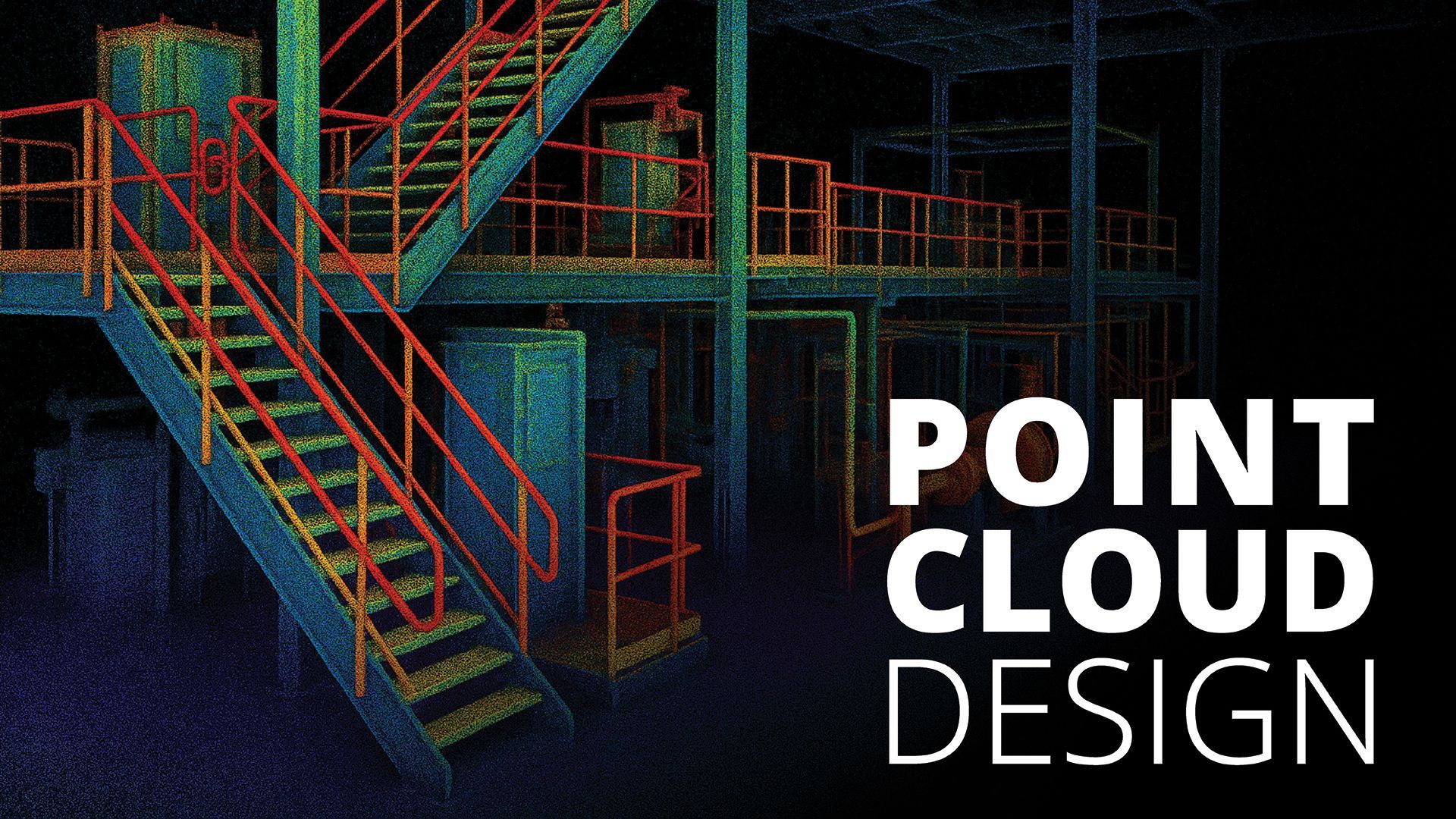
Upgrading or expanding an existing facility is one of the most complex challenges manufacturers face. Every project must fit seamlessly into a real-world environment that’s often full of legacy equipment, tight clearances and unknown obstacles. And when it comes time to expand or modernize a facility, gaps in documentation can make even a straightforward project feel like a maze. Even small inaccuracies in as-built drawings can create costly delays, rework or mismatched designs. That’s why more manufacturers are turning to point cloud–driven design —a workflow that turns real-world spaces into precise digital environments. Point clouds give teams a clear, accurate picture of what they’re working with—no guesswork, no faded blueprints, no surprises tucked behind a support column. At Seifert Engineering, we use point cloud data to help customers plan smarter expansions, design workflows with confidence, and move projects forward without the usual headaches that come with upgrading older spaces. What Makes Point Clouds So Useful? A point cloud starts with a 3D laser or LiDAR scan. The scanner fires out millions of measurement points, each one recording an exact X-Y-Z location. This creates a highly accurate digital representation of the facility as it exists at that moment—equipment, walls, mezzanines, conduit, pipe runs… everything. For manufacturers, this precision directly translates into better outcomes. Teams can: Measure from the digital model instead of making repeated site visits Identify potential interferences before fabrication Plan equipment layouts more efficiently Build new designs that fit right the first time It’s a way of turning a complex physical space into something engineers and decision makers can use to explore, measure and design within—all from the comfort of their desks. From Scan to Smart, Usable Data After a scan is collected, the raw data moves through specialized processing tools that help clean it up, aligning geometry and removing noise and irrelevant details. Multiple scan sets can be merged when a project covers large or segmented areas. Once prepared, the point cloud is exported to a format that works easily with modern CAD environments. From there, it becomes the foundation for future designs—essentially a digital “as-built” model that informs every decision that follows. This processing step is one of the biggest reasons point clouds are so powerful. Instead of trying to interpret messy or incomplete data, engineers work from a clean, reliable model that mirrors the real facility inch by inch. Designing Inside the Real Environment The moment a point cloud is loaded into CAD, things get interesting. Instead of designing equipment or platforms in a blank workspace, engineers can build directly inside the scanned environment. It's the difference between designing a staircase using a generic wall height… and designing one that you know clears that pipe rack by exactly 2.37 inches. Working this way makes projects move faster and reduces the friction that normally comes with upgrading older spaces. You can: Check clearances instantly Validate equipment fits before fabrication Build geometry that aligns with existing structures Catch conflicts while the design is still flexible And because the model is visual and intuitive, approvals tend to move faster. Stakeholders can “see” the project long before installation day. Better Planning, Better Workflow, Better Results Whether you’re relocating a fabrication line, adding automation or expanding a production area, point cloud–driven design gives you the clarity needed to plan effectively. Teams can test different layouts, compare workflows and evaluate how new equipment changes material movement or operator access. It also reduces two major project stressors: rework and downtime. When the model reflects reality, you’re far less likely to discover an unexpected beam, conduit run or floor variation during installation. That accuracy means fewer on-the-fly adjustments—and a much smoother upgrade process. A Flexible Tool for Any CAD Workflow Point cloud data integrates with most widely used design platforms, whether you're working in a mechanical, architectural or layout-focused environment. You don’t have to overhaul your entire workflow to use it; you can simply bring the point cloud in as a reference and design the way you always have—only now, you’re doing it with dramatically better information. For many manufacturers, that’s a breakthrough: point clouds elevate the quality of the design work without adding friction to the process. The Bottom Line Point cloud–driven design gives manufacturers a more accurate, reliable, and efficient way to plan facility upgrades. With a precise digital snapshot of the environment, teams can make confident decisions, reduce installation risk and design solutions that truly fit the space. At Seifert Engineering, we leverage point cloud data to help customers modernize with fewer surprises and better outcomes. Whether you’re preparing for an expansion, integrating new equipment or rethinking workflow efficiency, this approach creates a clearer path forward from day one. FAQs About Point Cloud–Driven Design What is a point cloud? A point cloud is a collection of millions of measurement points captured by a 3D laser or LiDAR scanner, each one marking an exact X-Y-Z coordinate. How accurate is point cloud data? Very. It provides a high-fidelity representation of the real environment, making it ideal for tight clearances, complex layouts and equipment integrations. Does point cloud data work with my CAD software? In most cases, yes. Point clouds can be imported into many modern CAD platforms using native tools or common plug-ins. Does this reduce site visits? Substantially. With a complete digital model, engineers usually only need one initial scan visit—everything else can be measured virtually. What types of projects benefit most? Facility expansions, new equipment installations, layout optimization, automation upgrades and any project involving tight spaces or unclear documentation
By Seifert Technologies October 31, 2025
The cloud isn’t a trend anymore—it’s the foundation of modern IT. Yet, many businesses still hesitate to make the move. Maybe it’s uncertainty about cost, complexity, or security. Maybe your current systems “still work fine.” But as software, storage, and infrastructure continue shifting to the cloud, the real question becomes: is your business ready for the cloud—or are you being left behind? Cloud computing offers clear advantages: flexibility, scalability, resilience, and cost control. But successful cloud adoption requires more than flipping a switch. Without the right plan and preparation, companies can find themselves facing unexpected downtime, runaway costs, or security gaps that outweigh the benefits. Here’s a practical checklist to help you evaluate readiness, avoid common mistakes, and migrate with confidence. Step 1: Define the “Why” Before the “How” Before migrating a single workload, define your purpose. Are you moving to reduce infrastructure costs? Improve reliability? Support remote teams? Or modernize outdated systems? Your goals will guide every decision—what to migrate, how to structure it, and which provider fits best. Too often, businesses rush into the cloud because “it’s the direction everyone’s going,” only to discover they lack the use cases or ROI justification to sustain it long-term. Pro Tip: Create measurable success metrics before you start (e.g., reduce downtime by 30%, eliminate on-premises hardware by 2026). These benchmarks help you track progress and prove value later. Step 2: Audit What You Have Think of cloud migration like moving to a new house—you need to know what you’re packing, what to leave behind, and what needs upgrading. Start by cataloging your IT environment: servers, databases, applications, and network dependencies. Identify what’s cloud-ready versus what needs to be reworked. Some legacy systems may not play well in the cloud, while others can move easily with minimal changes. Don’t overlook data governance. Understand where your data resides, who owns it, and any compliance obligations (HIPAA, PCI, GDPR). These details determine how and where your data can be stored or transferred. Common Mistake: Skipping dependency mapping. Many migrations fail when teams move one system only to realize another critical app still points to an on-premises database. Step 3: Choose the Right Cloud Model and Strategy There’s no “one-size-fits-all” cloud. The right choice depends on your needs: Public Cloud (AWS, Azure, Google Cloud ): Scalable and cost-efficient, ideal for flexibility. Private Cloud: Better for sensitive workloads requiring full control and compliance. Hybrid Cloud: Combines both for balance—keep mission-critical systems on-premises while moving scalable workloads to the cloud. Also consider your migration strategy : Lift and Shift (Rehost): Move systems as-is to the cloud. Re-platform: Make light optimizations (like switching to managed databases). Refactor: Redesign for cloud-native architecture (ideal for long-term modernization). Choosing the wrong model can lead to inefficiencies or vendor lock-in later. Pro Tip: Start with a small pilot project to validate your strategy before scaling. Step 4: Plan the Move—Down to the Details Once your roadmap is clear, build a migration plan. This should outline: A phased migration schedule (by workload priority) Clear roles and responsibilities Communication plans for downtime or cutovers Security and access controls Backup and rollback strategies Testing is key. Always test workloads in a staging environment before flipping the switch. Common Mistake: Moving too much too soon. A phased approach reduces disruption and allows teams to learn as they go. Step 5: Prioritize Security and Cost Control Cloud security is a shared responsibility. Your provider secures the infrastructure—but you are responsible for access control, configurations, and data protection. Enable multi-factor authentication (MFA) , enforce strong password policies, and continuously monitor user access. Use encryption both in transit and at rest. And don’t forget to configure security groups and firewalls correctly—misconfigurations remain one of the top causes of cloud breaches. When it comes to cost, set up monitoring and alerts to track usage. Cloud services make it easy to overspend through underused resources or forgotten test environments. Pro Tip: Use your provider’s built-in cost management tools or a third-party platform to track usage trends and automate rightsizing recommendations. Step 6: Train Your Team and Build a Culture of Cloud Readiness Technology is only half of the equation—your people are the other half. Provide training to help IT staff understand new cloud tools, management consoles, and best practices. Encourage a culture of adaptability and continuous learning. For many organizations, working with a managed service provider (MSP) like Seifert Technologies can bridge the skills gap. A trusted partner can help your team transition smoothly while providing guidance on architecture, governance, and optimization. Step 7: Test, Optimize, and Evolve Migration isn’t a one-and-done event—it’s an ongoing journey. Once workloads are live, monitor performance, review KPIs, and identify opportunities to optimize. Cloud environments evolve quickly; what worked a year ago might not be cost-effective or secure today. Regularly revisit your cloud architecture to ensure it still aligns with business goals. Continuous improvement is what separates a successful cloud migration from one that simply “moved servers offsite.” Final Thoughts: Migration as Modernization Cloud migration isn’t just about moving data—it’s about modernizing how your business operates. When done strategically, it can improve performance, enhance security, and empower innovation across your organization. At Seifert Technologies , we help businesses modernize their IT environments with customized cloud migration strategies that minimize risk and maximize ROI. From readiness assessments to full-scale deployments, our team guides you every step of the way. Ready to see if your business is cloud-ready? Contact our team to schedule a Cloud Readiness Assessment and get your personalized migration roadmap. Call 330.833.2700 ext. 113 or email sales@seifert.com .
By Seifert Engineering September 30, 2025
In today’s competitive marketplace, manufacturers are constantly challenged to do more with less—less weight, less material, and less cost—without sacrificing performance or safety. Welded assemblies are at the heart of countless products, from machine frames and robotic tooling to heavy-duty enclosures and transportation equipment. Each one must strike the right balance between strength, weight, and durability. That’s where Finite Element Analysis (FEA) comes in. At Seifert Engineering, we use FEA to help our customers create virtual prototypes of their weldments. This process allows us to simulate how an assembly will perform under real-world conditions, pinpoint stress concentrations, and explore redesign options before the first piece of steel is ever cut. The result? Lighter, stronger, and more efficient designs that save time and reduce costs. Traditional Weldment Design vs. FEA Optimization Traditionally, weldments have been designed with large safety factors. While this “better safe than sorry” approach works, it often leads to heavier structures than necessary. Extra weight increases material costs, makes handling and installation more difficult, and can even limit performance in applications where mobility or efficiency is critical.  With FEA, engineers don’t need to rely on rules of thumb or oversizing. Instead, we can simulate exact conditions —stress, vibration, temperature, and more—to see how the weldment will behave. This digital stress test provides valuable insights into where material is truly needed for strength and where it can be safely reduced. Stress Risers in Weldments: What FEA Reveals One of the biggest advantages of FEA is its ability to reveal stress risers —the areas where failures are most likely to occur. In welded assemblies, these often include: Weld geometry and roots, where the shape changes dramatically. Connection points with bolts, pins, or fasteners. Transitions in material thickness , where loads aren’t evenly distributed. Corners and cutouts , which concentrate stresses. By identifying these critical zones early in the design process, we can reinforce them strategically while trimming away unnecessary weight in low-stress regions. FEA Meshing Strategies and Boundary Conditions for Weldments Running an FEA model isn’t just about clicking “analyze.” The quality of the results depends heavily on how the simulation is set up—particularly meshing and boundary conditions . Meshing strategies : The mesh is the network of small elements used to represent the weldment. Finer meshes in high-stress areas capture detail more accurately, while coarser meshes in low-stress areas speed up calculations. The right balance ensures reliable results without unnecessary computation time. Boundary conditions : These define how the assembly is constrained and loaded in the real world. Properly applying loads, supports, and connections is critical for making the simulation behave like the actual structure. At Seifert Engineering, our team’s experience ensures that each simulation is built on solid fundamentals, giving our customers confidence that the results will reflect reality. Visualizing Stress and Making Better Design Decisions One of the most powerful aspects of FEA is its ability to visualize stress concentrations through clear, color-coded plots. Instead of guessing, customers can literally see where their design is strongest and where it needs attention. These visual insights help guide collaborative conversations about redesign—whether that means adjusting weld sizes, changing materials, or redistributing loads. This process doesn’t just reduce weight and improve efficiency; it also builds confidence. Customers know that their design has been tested, validated, and optimized before fabrication begins. Partnering for Better Weldment Designs FEA is more than a software tool—it’s a way of thinking about design. At Seifert Engineering, we see it as an opportunity to partner with our customers . By combining simulation with our deep engineering expertise, we help companies bring better products to market faster, with fewer prototypes and lower development costs. Whether you’re working on a new weldment design or looking to improve an existing assembly, our team can help you optimize for strength, efficiency, and manufacturability. With FEA, you don’t have to choose between lightweight and durable—you can have both. 👉 Explore Seifert Engineering’s FEA services to see how simulation can support your next project. FAQs on Weldment Design and FEA Why use FEA for weldment design? FEA allows engineers to simulate stress and loading conditions, optimize material usage, and reduce weight without compromising strength. What are common stress risers in welded assemblies? Weld geometry, roots, fastener connections, material transitions, and cutouts are the most common areas where stress concentrates. Can FEA replace physical prototypes? Not entirely, but it significantly reduces the number of prototypes needed by identifying issues earlier in the design process.
By Seifert Technologies August 29, 2025
“It won’t happen to us.” That’s what many business owners think—until it does. Ransomware has quickly become one of the most costly and disruptive threats facing businesses of all sizes. Unlike other cyberattacks, ransomware doesn’t just steal information—it locks you out of your own systems until a ransom is paid, often crippling operations for days or weeks. In June, we discussed how “ Data Backup Is Not Disaster Recovery .” Today, we’re taking that conversation further. Cybercriminals have grown adept at evading old defenses. Many ransomware attacks now target and encrypt backups first , leaving businesses with no safety net if they don’t have a full recovery strategy in place. So how can you prepare your business before it’s too late? The Evolution of Ransomware Ransomware has evolved from crude encryption schemes into complex, multi-stage attacks. The collapse of major groups like Lockbit and BlackCat has fractured the ecosystem, giving rise to lone operators and hybrid threat actors that blur the lines between cybercrime, espionage and hacktivism. New tactics include: Phantom scams : Fake ransom notes sent by mail Living Off the Land (LOTL) : Using legitimate tools to avoid detection Double extortion : Encrypting data and threatening to leak it Human-operated ransomware : Attacks rely on social engineering techniques and insider manipulation Real-World Impact of Ransomware Colonial Pipeline (2021): A ransomware attack shut down the largest fuel pipeline in the U.S. for nearly a week, causing fuel shortages and panic buying. City of Baltimore (2019): Attackers demanded $76,000 in ransom. The city refused—but ended up spending over $18 million recovering systems and services. Ingram Micro (2025): In July, IT distribution giant Ingram Micro suffered a global outage due to a ransomware attack by the SafePay group. The attack disrupted website access, order processing, and internal operations for nearly a week. Small Businesses (every day): According to the FBI, over 70% of ransomware victims are small and mid-sized businesses. Why? They often lack advanced defenses, making them easier targets. The message is clear: ransomware doesn’t discriminate . Whether you’re a manufacturer, professional services firm or municipality—if you use technology to run your business, you are at risk. How Humans Are Used to Execute Attacks Cybercriminals increasingly rely on human behavior to breach defenses: Phishing & Impersonation : Attackers impersonate employees and trick help desk staff into provisioning access. Groups like Scattered Spider use native English speakers to convincingly pose as internal staff. Credential Theft : Employees reuse passwords or fall for fake login pages. These credentials are sold on the dark web and used to infiltrate networks [1] . Employee Burnout : Tired or disengaged employees are more likely to click suspicious links or ignore security protocols. In one survey, 63% of employees admitted they’d open a suspicious email if it appeared to come from a colleague . Overconfidence : Despite training, many employees believe they can spot phishing—but attackers now use AI to craft flawless messages. “Human error is the biggest contributor to any data breach. Nearly three out of four incidents involved a human element like error, privilege misuse, stolen credentials or social engineering.” — Infosec Institute Ransomware Readiness Checklist Here’s a step-by-step framework to strengthen your defenses: Educate Your Team – Human error is still the #1 cause of successful ransomware infections. Regular phishing simulations and awareness training are critical. Teach staff to not click unverified links, avoid unknown USB devices and use VPNs on public networks. Patch and Update Systems – Cybercriminals exploit known vulnerabilities. Keep servers, applications and endpoints up to date. Use firewalls and endpoint protection. Segment Your Network – Don’t let attackers move freely inside your systems. Limit access and separate critical infrastructure from general-use networks. Secure Your Backups – Keep backups encrypted, offsite and inaccessible from the primary network. Test them regularly to confirm they can be restored. Implement Multi-Factor Authentication (MFA) – Passwords alone are not enough. Require MFA for remote access, admin accounts and email. Monitor and Respond 24/7 – Early detection is everything. Proactive monitoring tools can identify and lock down suspicious activity before it escalates. Keep systems updated, and watch for LOTL tactics, blind spots and unusual activity—especially during nights and weekends. Develop (and Test) a Response Plan – Conduct regular tabletop exercises. Know who to call, how to isolate infected systems and how to restore operations quickly. From Readiness to Resilience Cybersecurity isn’t about eliminating every risk—that’s impossible. It’s about building resilience so your business can withstand attacks and bounce back stronger. Seifert Technologies designs ransomware readiness and recovery strategies with the right combination of prevention, detection and recovery strategies. Don’t wait until you’re locked out. Let’s build your defense plan today. Contact us to schedule a free consultation. Call 330.833.2700 ext. 113 or email sales@seifert.com .
By Seifert Engineering July 28, 2025
When considering automation, the key question is Return On Investment (ROI): Will this pay off—and how soon?
By Seifert Technologies June 24, 2025
Backups protect your files. Disaster recovery protects your business. Most business owners understand the importance of backing up their data. Few realize that backups alone won’t protect them when disaster strikes. Relying solely on backups is one of the most common (and costly) mistakes business owners can make. If your organization hasn’t defined a full recovery plan, you could be at risk. Backup vs. Disaster Recovery: What's the Difference? Data Backup creates a copy of your files, folders and network systems. These backups can be stored locally or in the cloud, and they are meant to protect against data loss. Disaster Recovery (DR) is a comprehensive strategy outlining how to restore critical IT systems, applications, and operations after a major disruption. It defines key recovery processes, timelines, failover systems, resources and responsibilities. Having a backup is like having a spare tire; Disaster Recovery is having the right tools and knowing how to use them to get back on the road. Why Backups Alone Aren’t Enough Here are a few ways businesses get blindsided when they rely on backups alone: Restoration Takes Time: Just because files are saved doesn’t mean your system can be restored instantaneously. Restoring servers, reconfiguring networks and reinstalling applications can take days—or even weeks—without a recovery strategy. Lack of Prioritization: Not all data is equal. Without a recovery strategy, teams waste hours recovering low-priority files while other critical systems remain offline after a ransomware attack, server failure or natural disaster. Downtime Is Expensive: According to FEMA, 90% of small businesses fail within a year if they can’t reopen quickly after a disaster. Downtime can lead to thousands of dollars in lost revenue, damaged reputations, compliance violations and lost productivity. Cybercriminals Target Backups: Modern ransomware attacks often look for and encrypt backups first. If your backup isn’t isolated or secure, it could be compromised before you even know there’s a problem. What a Resilient Disaster Recovery Strategy Looks Like Build real-world resilience with a practical, right-sized recovery plan: Redundant, Automated Backups: Implement multi-layered backup strategies that include local and cloud storage, to ensure that even if one method fails, your data is still recoverable. Defined RTO and RPO Goals: Define Recovery Time Objectives (RTO) and Recovery Point Objectives (RPO) to determine how quickly your systems must be restored and how much data loss is acceptable. These benchmarks will guide the technology and processes used in your plan. Disaster Recovery Runbook: Outline the step-by-step process for restoring operations after a disaster. Include system dependencies, key personnel responsibilities and a communications strategy. Regular Testing and Validation: Conduct routine Disaster Recovery drills and simulations to ensure your systems and people are ready. Cloud-Based Recovery Options: For businesses that can’t afford extended downtimes, explore Disaster Recovery as a Service (DRaaS) options. This allows you to spin up virtual versions of critical systems from the cloud, often within hours or minutes, depending on business needs. Don’t Wait Until It’s Too Late Data loss, cyberattacks, power outages and hardware failures are not rare events—they’re part of an everyday business environment in our always-on, always-connected world. The companies that survive and thrive through these events are the ones that plan ahead. Disaster recovery isn’t just for large enterprises. Small and mid-sized businesses have the most to lose from prolonged downtime. The good news is that with the right IT partner, recovery is more accessible and affordable than ever. Let’s Build Resilience—Together At Seifert Technologies, we specialize in right-sized, strategic disaster recovery solutions for growing businesses. Whether you're starting from scratch or want a second opinion on your current backup strategy, we’re here to help. We’ll evaluate your setup, identify vulnerabilities and recommend a path toward true resilience. Contact us today to schedule a free consultation. Call 330.833.2700 ext. 113 or email sales@seifert.com .
More Posts